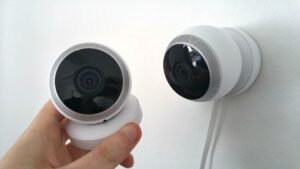

- The Ring Alarm Security Kit offers affordable DIY home security starting at $199.99, with optional professional monitoring for just $10-20 monthly and no long-term contracts.
- You can use Ring Alarm Security for self-monitoring completely free, but subscription plans unlock video recording, cellular backup, and 24/7 professional emergency response.
- Before buying, evaluate your home size, existing smart home ecosystem (especially Amazon Alexa compatibility), internet reliability, and whether you need advanced features like the Pro version’s built-in router.
Ring Alarm Security has become one of the most popular DIY home security choices thanks to its low price, no contracts, and tight integration with Amazon’s ecosystem. But popularity does not always mean it is the right fit for your specific home.
Before you click “buy,” you need to know what the Ring Alarm Security Kit includes, what it costs long-term, and where it shines or falls short compared to other systems. This guide walks you through every consideration so you make a confident decision.
Understanding Ring Alarm kit configurations
What comes in each starter kit
The Ring Alarm Security Kit is sold in several bundle sizes to match different home layouts. The 5-piece kit ($199.99) includes one base station, one keypad, one contact sensor, one motion detector, and one range extender—perfect for a small apartment with one main entry point. The 8-piece kit ($249.99) adds more contact sensors for additional doors and windows. Larger bundles like the 10-piece ($259.99) and 14-piece ($329.99) kits cover multi-bedroom homes with more entry points and rooms to monitor.
Each kit uses the same core technology, so you are only paying for extra sensors when you choose a bigger bundle.
Ring Alarm versus Ring Alarm Pro differences
Ring Alarm Security comes in two versions: standard and Pro. The standard version connects to your existing Wi-Fi router and relies on your internet connection for alerts and monitoring. Ring Alarm Pro ($299.99) includes a built-in eero Wi-Fi 6 router, cellular backup with 3GB of data for other devices, and local video storage for Ring cameras when you subscribe to Ring Home Premium.
If you already have reliable Wi-Fi and internet, the standard kit is enough. If you want network redundancy and built-in backup connectivity, the Pro version makes sense.
Calculating total ownership costs over time
Upfront equipment cost is just the beginning. The Ring Alarm Security Kit works without any subscription for basic self-monitoring, but most buyers eventually add Ring Home Standard ($10/month) or Premium ($20/month) for professional monitoring, video recording, and cellular backup. Over three years, the cheapest useful setup (5-piece kit plus Standard plan) costs around $560 total, while a Pro system with Premium monitoring reaches about $1,020.
Compare that to traditional security companies that lock you into 36-month contracts with higher monthly fees, and Ring Alarm Security still saves hundreds.
Planning for sensors and expansion devices
You will likely need extra sensors beyond your starter kit. Individual door/window sensors cost $19.99, motion detectors run $29.99, and range extenders are $24.99 each. Specialized sensors like smoke and carbon monoxide listeners, flood/freeze sensors, and panic buttons add $30-40 each.
Budget at least $100-200 more than your initial kit price if you want full coverage for a typical home.
How Ring pricing stacks up against competitors
When you compare the Ring Alarm Security Kit to SimpliSafe, ADT, or Abode, Ring often wins on affordability. SimpliSafe’s monitoring starts at $19.99/month, ADT requires professional installation plus long contracts with fees around $45-60/month, and Abode sits in the middle at $20/month for pro monitoring. Ring’s $10/month professional monitoring (when bundled with Standard plan) is hard to beat if budget is your top priority.
However, competitors sometimes include features Ring charges extra for or does not offer at all.
Subscription plans and monitoring choices
Using Ring Alarm without any subscription
Yes, you can use Ring Alarm Security completely free. Without a subscription, you get real-time push notifications when sensors trigger, the ability to arm and disarm through the app or keypad, a loud 105 dB siren, and live camera viewing with two-way audio if you have Ring cameras.youtube
What you do not get is recorded video clips, extended live view sessions, cellular backup, or professional monitoring that calls police or fire departments.youtube
Self-monitoring works well if you are home most of the time or just want basic alerts.
Breaking down Ring Home subscription tiers
Ring offers three subscription levels. Ring Home Basic ($4.99/month per device) adds video recording for one camera or doorbell with 180 days of cloud storage. Ring Home Standard ($10/month) covers unlimited devices at one location and includes video recording, 180-day history, extended live view, smart alerts for people and packages, and optional professional monitoring add-on. Ring Home Premium ($20/month) bundles everything in Standard plus mandatory 24/7 professional monitoring, cellular backup, extended warranties, and Ring camera video history.
Most Ring Alarm Security buyers who want professional monitoring choose Standard or Premium.
Professional monitoring benefits and limitations
Professional monitoring means a monitoring center watches your system 24/7 and contacts emergency services if you do not respond to an alarm. Ring’s service costs $10/month when added to Standard or comes included with Premium ($20/month total). The monitoring team has access to cellular backup, so they stay connected even if your internet goes down, assuming you are on Premium.
The tradeoff is you are adding recurring costs, and response times depend on your local emergency services, not Ring itself.
Features locked behind subscription paywalls
Without a Ring subscription, the Ring Alarm Security Kit still arms, alerts, and sounds the siren, but you lose several conveniences. Video recording history disappears—you can only watch live. Smart alerts that distinguish people from cars or animals require Standard or Premium. Extended live view (letting you watch cameras longer than 10 minutes) also needs a paid plan, and cellular backup that keeps your system online during internet outages only works with Premium.youtube
Decide which features you actually need before committing to a subscription.
How video storage ties to Ring Protect
Ring Alarm Security and Ring cameras use the same Ring Home subscription tiers. If you want to record video from your doorbell or outdoor cameras, you need at least Ring Home Standard ($10/month for unlimited devices). That subscription gives you 180 days of event-triggered video clips stored in the cloud. Without it, you can watch live but cannot save or review past footage.youtube
Ring Alarm Pro offers local video storage on the base station, but only when paired with Ring Home Premium.
Technical requirements you must meet
Internet and Wi-Fi speed minimums
The Ring Alarm Security Kit requires a stable dual-band 802.11n Wi-Fi connection for the base station. Ring recommends at least 2 Mbps upload speed, but realistically you want 5-10 Mbps or higher if you plan to use multiple cameras. The base station must sit within range of your router, and weak Wi-Fi causes delayed alerts or offline sensors.
If your internet goes down and you do not have cellular backup through Premium, your system loses remote access and professional monitoring.
Smart home ecosystem compatibility matters
Ring Alarm Security works best in Amazon Alexa households. You can control the system with voice commands, create routines that arm the system when you say “goodnight,” and use Alexa Guard to listen for glass breaking or smoke alarms through Echo devices. Google Assistant support is limited to very basic commands like arming and disarming.
Apple HomeKit is not supported at all, so if you are deep in the Apple ecosystem, Ring might frustrate you.
Which third party devices work with Ring
The Ring Alarm Security Kit supports Z-Wave devices through its “Works With Ring” program. Compatible devices include smart locks from Kwikset, Schlage, and Yale, plus light switches and dimmers from Leviton and GE. You can lock doors automatically when you arm the system or turn on lights when motion triggers.
The selection is smaller than systems like SmartThings or Hubitat, but covers the basics.
Cellular backup and its subscription requirement
Cellular LTE backup keeps Ring Alarm Security connected to the monitoring center even when your internet and power fail. The base station has a built-in LTE chip and a 24-hour backup battery. However, cellular backup only activates if you subscribe to Ring Home Premium ($20/month).
Without Premium, your system goes offline during internet outages and cannot send alerts or contact monitoring.
Ring Alarm Pro includes 3 GB of backup data for other devices in your home, which is a nice bonus during extended outages.
Mobile app features for daily control
The Ring app (iOS and Android) is your main control interface for the Ring Alarm Security Kit. You use it to arm and disarm the system, view sensor status in real time, adjust mode settings (Home, Away, Disarmed), watch live camera feeds, review event history if you subscribe, and participate in the Neighbors feature for local crime and safety alerts.
The app interface is clean and beginner-friendly, though some users find it cluttered when managing many devices.
Installation and home compatibility
How hard is DIY installation really
Ring Alarm Security is designed for complete beginners. The app guides you through each step: plug in the base station, scan QR codes on each sensor, test devices one by one, and set up arming modes. Most people finish installation in 30-60 minutes depending on how many sensors they have.
You do not need tools for adhesive mounting, though screws are included if you want permanent attachment.
Professional installation is available through Ring partners if you prefer, but it adds cost and is rarely necessary.
Matching kit size to your home
A small one-bedroom apartment with a front door and balcony slider only needs the 5-piece Ring Alarm Security Kit plus maybe one extra contact sensor. A three-bedroom house with front door, back door, garage, and 8-10 windows needs the 14-piece kit or a smaller kit with lots of add-ons.
Count your entry points—doors and accessible windows—and add one contact sensor per opening, plus at least one motion detector per floor.
Where to place sensors for best results
Contact sensors go on doors and windows where the two pieces align when closed. Motion detectors should mount in corners 6-7 feet high with clear line of sight across the room. Keypads belong near main entrances where you can quickly arm and disarm when leaving or entering.
Avoid placing motion sensors where pets walk, heaters blow, or sunlight creates temperature changes that cause false alarms.
Wired options and retrofit kits
The Ring Alarm Security Kit is almost entirely wireless—sensors run on batteries, and the keypad recharges via USB. Only the base station requires a power outlet. If you have an older wired security system already installed, Ring sells a retrofit kit ($149.99) that connects existing hardwired sensors to the Ring base station.
This saves you from replacing every sensor if you are upgrading from an older system.
Why renters love Ring Alarm portability
Renters appreciate Ring Alarm Security because sensors stick with adhesive tape instead of screws, leaving no damage when you move. The entire system packs up easily and reinstalls in your next apartment or house. You are not locked into a contract tied to a specific address like traditional alarm companies require.
Just reset devices, uninstall the app location, and set up again in your new home.
Core components explained in detail
Base station role and specifications
The base station is the brain of the Ring Alarm Security Kit. It communicates with sensors via a proprietary wireless protocol, connects to your Wi-Fi, houses the 105 dB siren, contains the 24-hour backup battery, and includes the LTE cellular chip for backup connectivity. It also has Z-Wave, Zigbee, and Bluetooth radios for smart home integrations.ring+2
The base station lacks a screen, so all interaction happens through the keypad or app.
Keypad functions and battery life
The wireless keypad lets you arm and disarm Ring Alarm Security without your phone. It shows system status with colored lights and text, has number buttons for entry codes, and includes a panic button for emergencies. The rechargeable battery lasts several months on a charge, or you can power it via USB permanently.
You can buy extra keypads ($49.99) for multiple entry points if needed.
Contact sensor reliability and battery life
Contact sensors detect when doors or windows open using a magnet and switch mechanism. They mount with adhesive or screws and run on a single coin battery that typically lasts three years. Sensors are small (about 2 inches long) and white, so they blend reasonably well on most door frames.
Each sensor reports instantly when triggered, assuming your Wi-Fi and base station connection are strong.
Motion detector coverage and pet immunity
The Ring Alarm Security Kit motion sensors use passive infrared technology to detect movement in a 90-degree radius up to about 30 feet. They are not specifically pet-immune, so large dogs or cats that jump on furniture may trigger false alarms.
Position them high and angled downward to reduce pet triggers, or disable motion sensors when you are home and pets are active.
When range extenders become necessary
Range extenders ($24.99) boost the Z-Wave mesh network signal between the base station and distant sensors. You need them in larger homes (over 2,000 square feet), homes with thick walls or metal studs, or when sensors are more than 50-75 feet from the base station.pcmag+1
The extenders plug into outlets and include backup batteries so the mesh network stays active during power outages.
Camera integration and video features
How Ring cameras connect to Ring Alarm
Ring Alarm Security integrates seamlessly with all Ring cameras—Video Doorbells, Stick Up Cams, Spotlight Cams, Floodlight Cams, and Indoor Cams. Cameras appear in the same Ring app alongside alarm sensors, and you can set automation rules like “record video when alarm triggers” or “turn on floodlight when motion sensor activates”.
This unified ecosystem is one of Ring Alarm Security’s biggest strengths.
Subscription requirements for saving video clips
Ring cameras and the Ring Alarm Security Kit both need Ring Home subscriptions to record video. Without a subscription, you can watch live and use two-way audio, but clips do not save. Ring Home Standard ($10/month) or Premium ($20/month) unlocks 180 days of cloud video storage for all your cameras at one location.
Ring Alarm Pro with Premium also stores video locally on the base station as a backup.techgadgetscanada
Smart alerts for people and packages
Standard and Premium subscriptions add AI-powered smart alerts that distinguish between people, packages, and other motion. This dramatically reduces false alerts from cars, animals, or weather. You also get customizable motion zones to ignore sidewalks or streets and only alert on activity near your door.youtube
These features require paid plans—they do not work on free self-monitoring.techradaryoutube
Video resolution and night vision quality
Most Ring cameras shoot 1080p HD video, with some newer models offering 2K resolution. Field of view ranges from 130 to 160 degrees depending on the model. Night vision uses infrared LEDs for black-and-white footage, or select models like Spotlight Cam have color night vision via built-in floodlights.
Video quality is competitive with other consumer security cameras, though not professional-grade.
Two way audio and siren features
All Ring cameras include two-way audio so you can speak to visitors or delivery drivers through the app. Some models also have built-in sirens that trigger manually or automatically when the Ring Alarm Security Kit detects an intrusion. Ring even offers an Active Guard service ($99/month) where live agents monitor your cameras and can speak through them to deter intruders.
That premium service is overkill for most homeowners but exists for those who want maximum active monitoring.
Privacy and security concerns
Ring’s past security incidents explained
Ring faced criticism after several hacking incidents where attackers gained access to cameras through weak or reused user passwords. In response, Ring made two-factor authentication mandatory and added more privacy controls.
No system is perfectly secure, but Ring Alarm Security now requires stronger account protection than it did originally.
Privacy controls you should enable immediately
Enable two-factor authentication on your Ring account, use a unique strong password, review which users have access to your system, and check device access logs regularly. You can also opt out of Ring’s Neighbors feature if you do not want to share or see local crime reports.nytimes
For cameras, set up Privacy Zones to black out areas like neighbor windows or streets.
How Ring handles your data and video
Ring stores video clips in the cloud (if you subscribe) using encryption. The company can share video with law enforcement upon request, though they have added more transparency about these requests after public backlash. Ring does not sell your video data to advertisers, but integration with Amazon’s ecosystem means some metadata may inform product recommendations.
If privacy is your top concern, consider systems like SimpliSafe that have no major data-sharing controversies.
Cellular backup and power outage protection
Ring Alarm Security includes a 24-hour backup battery in the base station. If power fails, the system keeps working until the battery depletes. If you subscribe to Ring Home Premium, cellular LTE backup keeps the system connected to monitoring even when internet is down.
Without Premium, you lose remote alerts and professional monitoring during internet outages.
Ring versus competitors on privacy
SimpliSafe has a cleaner privacy record with no known major breaches. ADT stores less video data because they focus on traditional alarm monitoring. The Ring Alarm Security Kit is more privacy-invasive than some alternatives due to Amazon’s data collection practices, but it offers more features and integrations as a tradeoff.
Decide what matters more to you.
Strengths and weaknesses of Ring Alarm
What Ring Alarm does better than competitors
Ring Alarm Security wins on affordability—$10/month professional monitoring is the lowest in the industry. It has the best camera ecosystem integration with dozens of Ring camera models. Installation is genuinely easy for DIY beginners. There are no contracts or cancellation fees. The 105 dB siren is louder than most competitors. Ring also offers lifetime theft protection, replacing stolen equipment for free.
For budget-conscious buyers already using Amazon Alexa, it is hard to beat.
Where Ring Alarm falls short
The Ring Alarm Security Kit lacks Apple HomeKit support entirely and has very limited Google Assistant integration. It does not work with IFTTT for advanced automation. The smoke and carbon monoxide sensors are listeners, not direct detectors, meaning they hear your existing alarms instead of sensing smoke directly. Some competitors like Abode offer more flexible smart home compatibility.nerdwallet
Power users may find Ring too locked into Amazon’s ecosystem.
Common complaints from actual users
User reviews mention occasional connectivity issues requiring sensor re-pairing. The system’s heavy dependence on strong Wi-Fi frustrates people with spotty internet. Some users feel the app is cluttered when managing many devices. Others dislike “subscription creep,” where features that used to be free now require paid plans.reddityoutube
Privacy-conscious buyers remain wary of Amazon’s data handling.
Direct comparison to SimpliSafe and ADT
SimpliSafe offers built-in smoke and CO detection (not just listeners), better privacy ratings, and similar pricing, but fewer smart home integrations. ADT provides professional installation, longer warranties, and more reliable service, but costs significantly more ($45-60/month) and requires multi-year contracts. Ring Alarm Security sits in the middle as the most affordable option with the best camera ecosystem.
Choose based on what you value most.
Best use cases for choosing Ring Alarm
The Ring Alarm Security Kit is ideal if you already own Ring cameras, live in an Amazon Alexa household, need affordable professional monitoring, prefer DIY installation, rent and need portability, or have a small to medium-sized home. It is also great for budget-conscious buyers willing to trade some privacy and platform flexibility for cost savings.
If those criteria match your situation, Ring is probably your best choice.
Planning for expansion and upgrades
Adding sensors as your needs grow
Start with a basic Ring Alarm Security Kit and add sensors as budget allows. Door and window sensors ($19.99) are the most common additions, followed by motion detectors ($29.99) for extra rooms. Watch for Ring sales during Prime Day and Black Friday to stock up on sensors at discount prices.
Expansion is easy through the app—just scan the new sensor’s QR code and it pairs automatically.
When to upgrade from standard to Ring Alarm Pro
Upgrade to Ring Alarm Pro if you need a better router (it includes eero Wi-Fi 6), want cellular backup for all devices in your home (3 GB included), or plan to use local video storage. The Pro version costs $100 more upfront and requires Ring Home Premium ($20/month) to unlock those features.techgadgetscanada
If your existing Wi-Fi works fine and you do not need backup internet, the standard Ring Alarm Security is enough.
Maximum system capacity and scalability
Ring Alarm Security officially supports over 100 devices on a single base station. Realistically, performance depends on your Wi-Fi strength and how many range extenders you use. Most homes never approach that limit—a well-covered 3,000-square-foot house might use 20-30 devices total.alarminabox
For very large properties, you may need multiple base stations or a commercial system instead.
Long term battery and maintenance costs
Contact and motion sensors use coin batteries that last about three years. Budget $20-40 every few years to replace batteries across all sensors. The keypad recharges via USB, so it has minimal maintenance. The base station’s backup battery should last 3-5 years before needing replacement.
These costs are minor compared to professional monitoring fees.
Moving Ring Alarm to a new home
The Ring Alarm Security Kit moves easily. Remove sensors, pack the base station and keypad, update your address in the Ring app, and reinstall everything at your new location. Your subscription and device history carry over automatically.
This portability is a huge advantage for renters or people who move frequently.
Making your final decision
| Feature | Ring Alarm Standard | Ring Alarm Pro | SimpliSafe | ADT |
|---|---|---|---|---|
| Starting equipment cost | $199.99 | $299.99 | $229.99 | $599+ |
| Professional monitoring monthly | $10-20 | $20 | $19.99 | $45-60 |
| Contract required | No | No | No | Yes (36 mo) |
| Camera ecosystem | Excellent | Excellent | Good | Limited |
| Smart home support | Alexa only | Alexa only | Multiple | Limited |
| DIY installation | Yes | Yes | Yes | No |
| Cellular backup included | Premium only | Premium only | All plans | All plans |
Who should buy the Ring Alarm Security Kit
Buy Ring Alarm Security if you prioritize affordability, already use Ring cameras or Amazon Alexa, feel comfortable with DIY installation, need flexibility without contracts, or rent and need a portable system. It is also smart for small to medium homes where you do not need dozens of specialized sensors.
Budget buyers willing to accept Amazon ecosystem lock-in get excellent value.
Who should consider alternatives instead
Choose a different system if you need Apple HomeKit integration, want maximum privacy without Amazon data collection, prefer professional installation, require advanced automation with IFTTT or Home Assistant, or have poor internet reliability. The Ring Alarm Security Kit also may not fit if you want built-in environmental sensors instead of listeners.
Evaluate your specific needs honestly before committing.
Questions to answer before purchasing
Ask yourself: How many entry points does my home have? What smart home devices do I already own? Do I want professional monitoring or just self-monitoring? Can I afford $10-20 monthly subscriptions long-term? Is my Wi-Fi fast and reliable? Do I feel comfortable with Amazon’s privacy practices? Will I stay in this home for a while or move soon?
Your answers point you toward Ring or a competitor.
Where to buy and what deals to watch
Buy the Ring Alarm Security Kit directly from Amazon, Ring.com, Best Buy, or Home Depot for manufacturer warranty coverage. Avoid third-party marketplace sellers unless they are authorized Ring resellers. Watch for bundle deals during Prime Day, Black Friday, and Cyber Monday—Ring often discounts kits by 30-40% during these sales.
Check if your purchase includes a free trial of Ring Home Premium.
Getting started after you buy
After unboxing, download the Ring app, create an account, plug in the base station, and follow on-screen instructions to pair each sensor. Test every sensor by opening doors and triggering motion detectors while watching the app. Set up arming modes (Home, Away, Disarmed) with different sensor configurations. Add any existing Ring cameras to the same location.ring
Then test the full system by arming it and walking through your home to confirm alerts arrive properly.
Frequently asked questions
Does Ring Alarm work without internet or Wi-Fi
The Ring Alarm Security Kit needs internet for remote alerts and professional monitoring, but the siren and local sensors still trigger during outages. If you subscribe to Ring Home Premium, cellular backup keeps monitoring active even when Wi-Fi fails. Without Premium, you lose remote access and monitoring during outages.
The 24-hour backup battery keeps the system powered during electrical failures.security
Is professional monitoring required or optional
Professional monitoring is completely optional with Ring Alarm Security. You can self-monitor for free through the app and receive push notifications when sensors trigger. Professional monitoring ($10-20/month) adds 24/7 emergency response where the monitoring center contacts police or fire services if you do not respond.ring
Many users start with self-monitoring and add professional monitoring later.
How loud is the Ring Alarm siren
The base station siren reaches 105 decibels, which is as loud as a smoke alarm or subway train. Neighbors within 50-100 feet can usually hear it, especially at night. The loudness deters intruders and alerts people nearby even if they do not have the app.
You can adjust siren volume or disable it in certain modes through the app.
Will Ring Alarm work with my smart home devices
Ring Alarm Security integrates best with Amazon Alexa devices. It supports Z-Wave smart locks and switches through the Works With Ring program. Google Assistant support is very limited, and Apple HomeKit is not supported at all.
Check Ring’s compatibility list before buying if integration with specific devices is critical to you.
What happens if someone steals my Ring equipment
Ring offers lifetime theft protection. If someone steals your cameras, sensors, or base station, file a police report and contact Ring support. They will replace the stolen equipment for free.
This policy only covers theft, not damage or loss from other causes.
How does Ring Alarm compare to SimpliSafe
The Ring Alarm Security Kit costs less for professional monitoring ($10 vs $19.99/month) and integrates better with cameras. SimpliSafe has built-in smoke and CO sensors instead of listeners, better privacy reputation, and no Amazon ecosystem dependency. Both offer DIY installation and no contracts.
Choose Ring for affordability and camera integration, SimpliSafe for privacy and sensor variety.
Ring Alarm Security delivers excellent value for budget-conscious buyers who want flexible DIY home security without long-term contracts. The system works well for self-monitoring or adds affordable professional monitoring when you want 24/7 emergency response. Before buying, honestly assess your home size, existing smart home ecosystem, internet reliability, and comfort with Amazon’s privacy practices. If those factors align, the Ring Alarm Security Kit is one of the smartest security investments you can make.